
HEIGHTCOMPARE · A WHOLE LIST, CONVERTED
Every height. Every unit. One table.
READY WHEN YOU ARE
Your converted list appears here.
Paste your heights or import a CSV, then select Convert all heights.
For centimetres to total inches, use =A2/2.54. For decimal feet, use =A2/30.48. These formulas work when A2 contains a numeric height in centimetres. Excel and Google Sheets also provide CONVERT for explicit unit conversions.
For a whole mixed-unit list, use the tool above. It accepts CSV columns named label,height,unit, validates the rows and exports converted values. The examples below explain both spreadsheet and browser workflows without treating decimal feet as feet-and-inches notation.
Simple formulas for a numeric height column
| A2 contains | Wanted result | Formula |
|---|---|---|
| Centimetres | Total inches | =A2/2.54 |
| Centimetres | Decimal feet | =A2/30.48 |
| Total inches | Centimetres | =A2*2.54 |
| Decimal feet | Centimetres | =A2*30.48 |
| Metres | Centimetres | =A2*100 |
Enter the formula in another column and fill it down. Format the result cells to display the decimal places you need. Formatting changes the appearance without changing the underlying number; ROUND changes the calculated value.
Use CONVERT in Excel and Google Sheets
For 170 in cell A2, =CONVERT(A2,"cm","in") gives approximately 66.9291 total inches. To display two decimal places in the calculated value, use =ROUND(CONVERT(A2,"cm","in"),2). Use "ft" instead of "in" for decimal feet.
Both applications document the value, source-unit and destination-unit arguments. Unit codes are text in quotation marks. Depending on your spreadsheet locale, formulas may use semicolons instead of commas between arguments. See the official Microsoft CONVERT documentation and Google Sheets CONVERT documentation.
Put mixed units in a separate column
Use A for label, B for numeric height and C for unit. Then enter =CONVERT(B2,C2,"cm") in D2 and fill down. For this workflow, keep source units to cm, m, mm, in or ft. A value such as 5 ft 8 in is text, not a single numeric input for CONVERT.
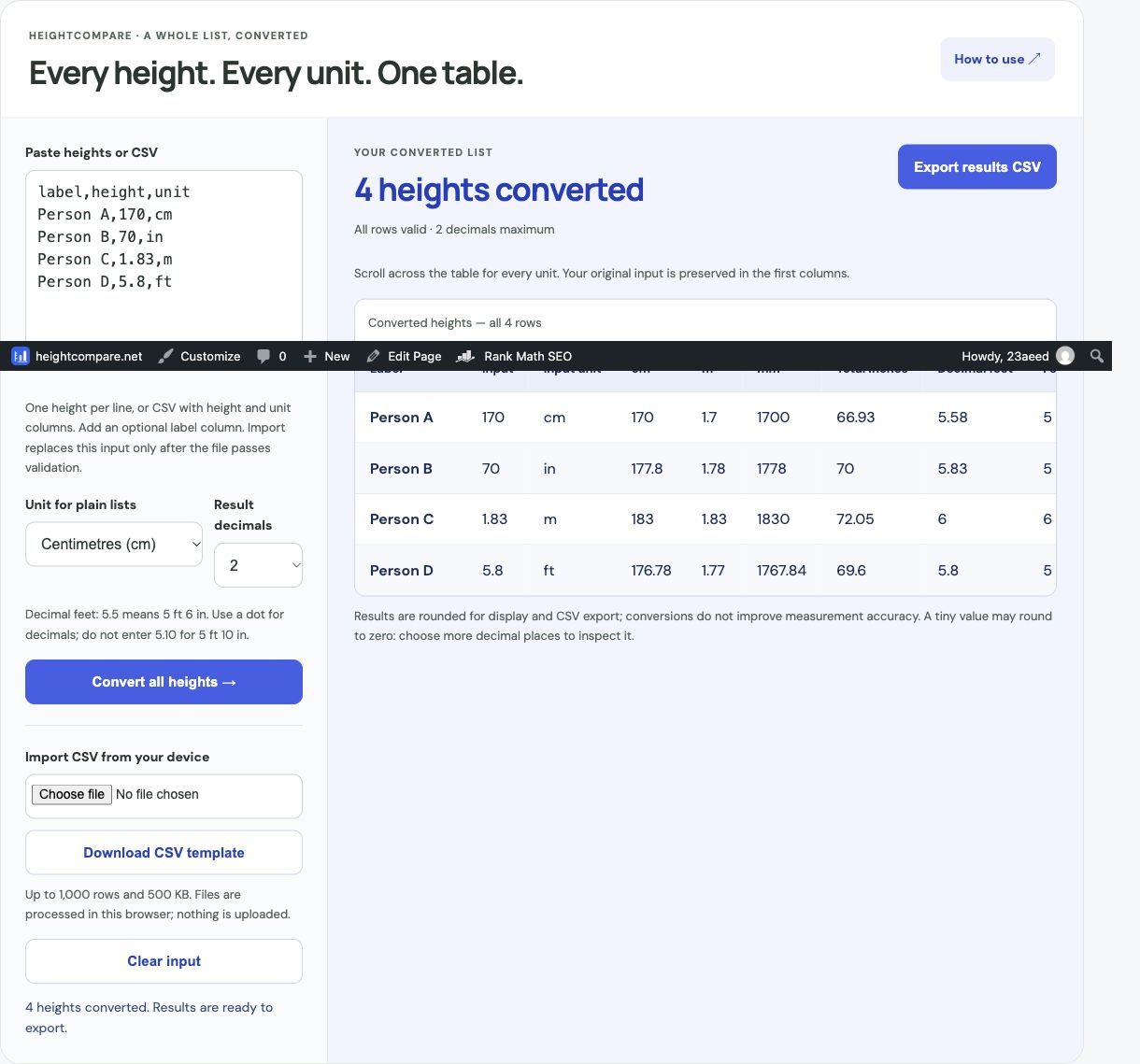
label,height,unit
Person A,170,cm
Person B,70,in
Person C,1.83,m
Person D,5.8,ft
Download this example CSV. Person B converts to 177.8 cm. Person D converts to 176.784 cm because 5.8 ft is decimal feet, not 5 feet 8 inches.
Convert and export without spreadsheet formulas
- Save your sheet as a UTF-8 CSV with the three headers shown above, or paste the example into the tool.
- Choose up to four decimal places and select Convert all heights.
- Check the labels, original units and converted values.
- Select Export results CSV and open the downloaded file in your spreadsheet.
The browser tool supports up to 1,000 rows and 500 KB. A failed file import keeps the current input and results. Correct the reported issue before trying again. Files are processed on your device; download the output before leaving because this tool does not automatically save the list.
Frequently asked questions
How do I enter 5 feet 8 inches in a numeric column?
Use 68 total inches with unit in. Alternatively, keep feet and inches in separate numeric columns and calculate total inches as feet × 12 + inches.
Why did 5.10 feet produce the wrong expected height?
5.10 means 5.1 decimal feet, which is 5 ft 1.2 in. For 5 ft 10 in, enter 70 inches.
Why does a formula show an error?
Check that the value is numeric, the unit code is supported, both units measure length and your formula uses the separator expected by your locale.
For screenshots of import and export controls, open the bulk converter guide. For a single value, use the height converter.